Learners#
Open the Learners tab from the main Coach dashboard to access the progress report for each learner. In the main view you can see the table with summary of completed exercises, scores and viewed resources for each learner, and their last activity. Use the (print) and (download) buttons to print the report for all learners on paper, save it in a PDF format, or export as a CSV file.
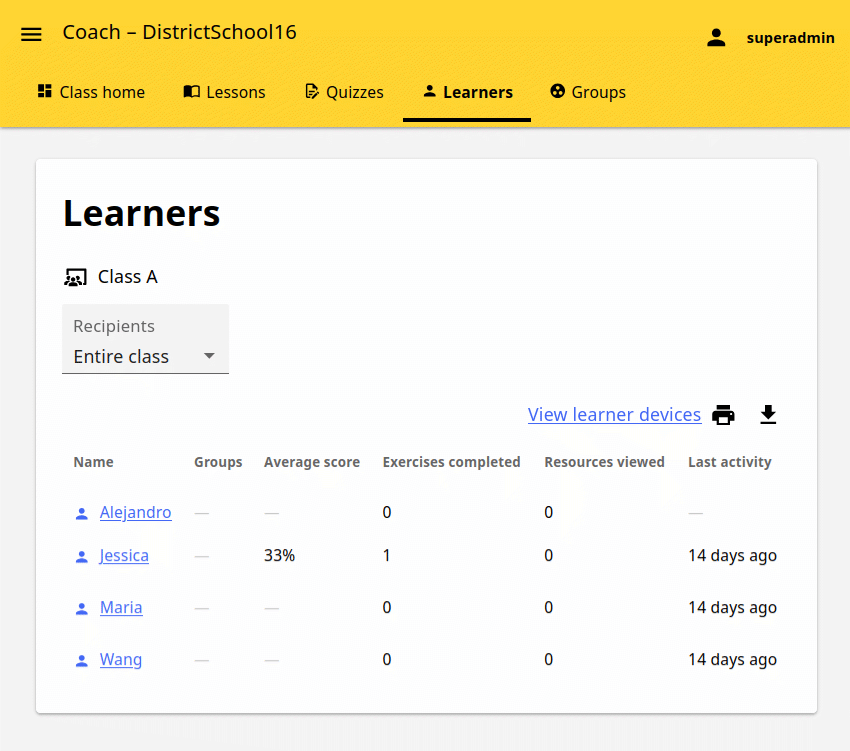
Click on a learner name to view their detailed progress report.
In this view you can see the summary of their activity, and also click to open and review each lesson and quiz assigned to the learner.